Mobile PDF scanner and editor with merge and split tools
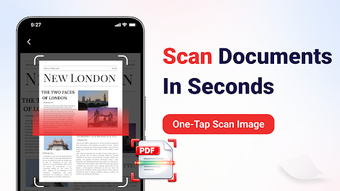
Experience PDF Tools: Scan Merge Split by Tub-DEV-NK, a mobile document utility for Android that centralizes scanning, editing, and viewing tasks. The app lets you digitize paper via the device camera, merge and split PDFs, and convert images into PDF files while supporting Word, Excel, and PowerPoint viewers. It includes high-resolution PDF viewing, a document scanner, and image-to-PDF conversion, all accessible offline. Students, office professionals, and remote workers gain a compact toolkit for handling paperwork without a desktop scanner.
What does PDF Tools do for mobile documents?
PDF Tools consolidates a camera-based scanner, in-app PDF reader, and basic editor into a single Android utility. The scanner captures paper with the device camera and converts images into PDFs; merge and split functions combine or extract pages; the viewer opens Word, Excel, and PowerPoint files in addition to PDFs. This makes the app a mobile workspace for creating, editing, and organizing documents without external hardware.
Does it affect device storage or run offline?
In testing terms the installer occupies about 73 MB on download, and processed documents require additional storage space on the device. Core functions such as scanning, merging, and splitting operate without an internet connection, which keeps document processing local. The app is regularly updated for compatibility with current Android releases, including Android 15, reducing the need for OS-specific workarounds on modern devices.
Is it safe to use on private documents?
Core document tasks run offline, so files generated or edited by the app remain on the device unless the user shares them, which reduces network exposure. Scanning requires camera permission and saving files requires access to local storage, so the app depends on standard Android permissions. Package metadata also indicates built-in viewers for Word, Excel, and PowerPoint, keeping those formats readable without external services.
Do I need technical knowledge to operate it?
Experience a compact interface designed for students, office professionals, and remote workers, with workflows aimed at quick scanning, simple page reordering, and file conversions. In addition, the developer focuses on utility apps and keeps the package in active development since 2025, which supports iterative improvements. Casual users can complete common tasks without advanced skills, while users needing desktop-grade automation may seek other tools.
Practical, device-focused tool with a smaller user community
PDF Tools is a practical option for students and mobile professionals who need on-device scanning, simple editing, and format viewing. The app’s offline operation and regular updates support everyday document handling, though the installer’s modest download total of over 1,000 downloads suggests a smaller user community. Expect core tasks to remain local unless you export documents.